What Is an AI Harness? A Plain-English Explanation
Written by Evren BalPublished · 9 min read
Imagine asking two products that use the same AI model to complete a task. One tells you how to do it. The other finds the information it needs, performs the action in the relevant software, and checks the result. If employees still have to finish the remaining work, that difference becomes very tangible in day-to-day use.
“LLMs talk; harnesses get work done.” I use this as a memorable simplification, not a technical definition. An LLM—a large language model—produces a response. A harness turns that response into part of a real task.
To understand the difference, look at the operating structure around the model. An AI harness is the software layer that determines when the model runs, which instructions it receives, and what information it can use. A more capable harness can also manage tool use, task state, and the steps taken until the work reaches an acceptable result.
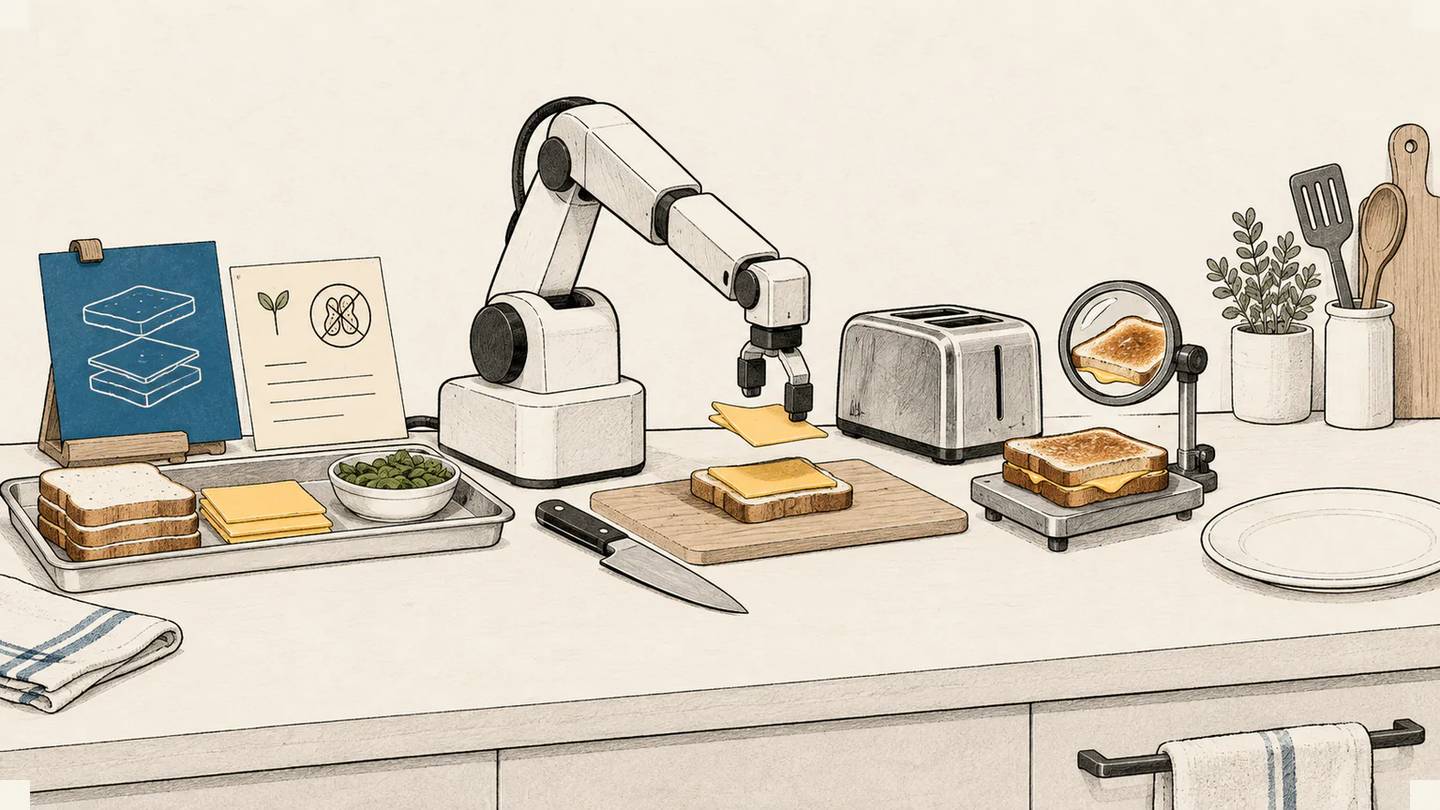
Let me explain the term with a sandwich. Then we can map that kitchen setup to a software product.
Ask a very knowledgeable cook for a sandwich
Imagine a highly knowledgeable cook standing in front of you. You say, “Make me a cheese sandwich.” The cook considers the request and replies: “Take two slices of bread and put cheese between them.”
You may have received a good recipe. Your plate is still empty.
That is one way to think about calling a language model on its own. You send the model a request, and it produces an output. The simplest version of the technical flow looks like this:
Prompt → model → response
The prompt contains the request and instructions you give the model. The model processes them and produces a response. If the task is to write text, that response may already be a usable output. If something must happen in another system, the product needs an additional connection to make it happen.
Now give the cook an operating setup: ingredients, kitchen tools, and rules to follow.
- The task is clear: prepare a cheese sandwich.
- The cook checks the ingredients. Is there bread and cheese? Does the person have an allergy? Which kitchen rules apply?
- The cook selects the necessary tools: a knife, a plate, and a sandwich press if the bread should be toasted.
- The cook prepares the sandwich.
- The cook checks whether the requested ingredients were used and whether the sandwich is ready to serve.
- If something is wrong and can be fixed, the cook fixes it. If a suitable ingredient is unavailable, the cook stops and asks.
- The cook serves the sandwich.
In this example, the harness is the whole setup that organizes the cook's work. It defines which information to inspect, what can be used, how the work is checked, and when the task is complete.
The metaphor has a limit: a real cook has hands; a language model does not. In software, the model generates a request for a tool to perform an action. The tool—run by the application or provider—performs that action. A model saying “I made the sandwich” is not evidence that the sandwich is ready.
The model generates; the harness organizes the work
Separating the parts this way makes the terms easier to follow:
| Part | What does it do? | What is it in the sandwich metaphor? |
|---|---|---|
| Model | Produces a response, plan, or tool call. | The cook who thinks through and proposes what to do. |
| Harness | Organizes model calls and the progress of the task. | The operating setup that brings together instructions, tool access, checks, and stopping conditions. |
| Tools | Read information or perform an action. | The knife, plate, and sandwich press. In software, these may be functions that read a file or create a record. |
| State / memory | Stores task information and progress. | The order note, allergy information, and record of which preparations are complete. |
| Agent | The model working within this system to carry out a task. | The cook continuing the job within a setup equipped with information and tools. |
This is a practical mental model I use to make the concepts easier to understand. It is not a universal taxonomy, and products do not all draw the boundaries in the same place. Some sources, in particular, use agent to describe both the model and the surrounding system.
The model may be called repeatedly as the work progresses. It interprets incoming information, proposes the next step, or identifies the tool it needs. The harness provides the operating structure in which those decisions can be applied. Rules written in software also limit which steps are possible.
Memory does not mean that the model remembers everything by itself. The software stores the state of the task and supplies the relevant parts during the next model call. Stored information is only useful if it is presented to the model when needed and the model uses it correctly.
A harness can begin with a direct API call
A harness is not limited to terminal commands, desktop applications, or enterprise agent frameworks. It can sit inside a product, independently of the interface the user sees. Nor does it require a ready-made package.
Suppose a product accepts two kinds of request: summarizing text and translating it into another language. The product identifies the task type, selects the corresponding system prompt and model, and sends both through the provider's API—the connection the software uses to request the model service. It then returns the result to the user.
A system prompt is the set of instructions that defines how the model should behave for that task. For a summary, you might tell it to preserve the key information. For a translation, you might tell it not to change the meaning. In the practical sense used in this article, code that selects the system prompt and model is already a minimal prompt-and-model routing harness.
This system may have no tools, persistent memory, or retry loop yet. It still has a layer that organizes how the model is used. If the user selects the task type in the interface, you do not even need another model to make that routing decision.
I examine different forms of model routing and the overhead they can add in How Should You Route Requests Across Multiple AI Models?. The important point here is that even this simple selection belongs to the operating structure around the model.
When the work spans several steps
As the task grows, you can add capabilities to the harness. Bringing together the instructions, documents, and previous results the model should see at a given step is often called context preparation. Connecting tools, storing completed steps, validating the output, and retrying recoverable failures all extend the same operating structure.
A multi-step system that uses tools might follow this flow:
Task → inspect context → use tools → execute → check the result → retry when needed → finish
The system receives the task, inspects the necessary information, uses tools to perform the action, and checks the result. It retries when appropriate, then completes the work. Tool use and execution are often parts of the same step. Reading a document may also require a tool. This sequence is a simple way to understand the work cycle, not a protocol that every harness must follow.
Checking the result does not always mean asking the same model, “Did you do it correctly?” Software can check whether a file exists. It can read from the relevant system to verify that a record was written to the right place. Deciding whether a piece of text preserves its intended meaning may require human judgment.
Retries also need limits. If a record was created but the response never arrived, blindly repeating the action could create a duplicate. Before retrying, the harness should check what actually happened. If the task is no longer progressing or the required permission is missing, it should stop and return control to a person.
Sometimes fixed software rules choose the next step in this cycle. Sometimes the model interprets new information and makes the choice. That is where the distinction between a workflow and an agent becomes important. Using a simple harness does not require handing the entire task to an open-ended agent.
Look beyond the model when evaluating the product
The same cook works differently in a kitchen where the ingredients are prepared than in one where every ingredient has to be found first. Change the checking process, and the speed and result may change too. In software products, the information available to the model, the tools it can access, and the way failures are handled create a similar difference.
That is why you should look at the operating structure as well as the model name when considering why the same model produces different results across applications. More tools or a longer loop do not automatically produce a better result. Unnecessary steps can increase latency, cost, and the chance of failure.
For a summarization task, the right instruction, a suitable model, and a short check may be enough. If the task performs actions across several systems, context, permissions, state tracking, and verification become more important. Where the steps and rules are fully known, existing automation may also be sufficient.
When evaluating an AI product, choose a concrete task from your own work. Examine which information it uses, which action it actually performs, and how the system determines that the work is complete. Include the amount of correction employees must do afterward. The harness earns its value through the contribution it makes to completing that task with an acceptable result.
Further reading
- Building effective agents: Provides basic design patterns for direct API use, routing, and models that use tools. It is one provider's architecture guide; it does not establish the broad definition of harness used here as an industry standard.
- Tool use with Claude: Separates the tool call generated by a model from the software that executes the action. It illustrates the difference between tools run by the application and by the provider through the Claude API.
- Effective harnesses for long-running agents: Shows why progress records and result checks matter in long-running work. It draws on a web application development example and does not show that the same setup is superior for every task.
If this article was useful
Linking to it from a relevant page on your website or sharing it on social media genuinely helps it reach more people. Thank you for your support.
Linking and brand guidelines →About this article
- Use of artificial intelligence
- AI-assisted — Evren Bal's LinkedIn draft and conceptual explanation were developed into the Turkish source article with AI assistance. AI also supported source checking, structure, language editing, and localization.

A small experiment
Loading personal metrics…