Maximize the Potential of Headless WordPress with GraphQL
💡 Quick Summary (TL;DR):
- Why GraphQL? Unlike REST APIs which return static payloads, GraphQL allows frontend clients to request the exact fields they need, reducing payload sizes and avoiding round-trip requests.
- WPGraphQL Plugin: The industry-standard tool to expose a GraphQL endpoint for any WordPress site, making it the preferred choice for headless architectures.
- Real-time Misconception: WPGraphQL runs over HTTP and does not support native real-time subscriptions out of the box; updates are handled via webhook-driven static rebuilds (on-demand ISR) or client-side polling.
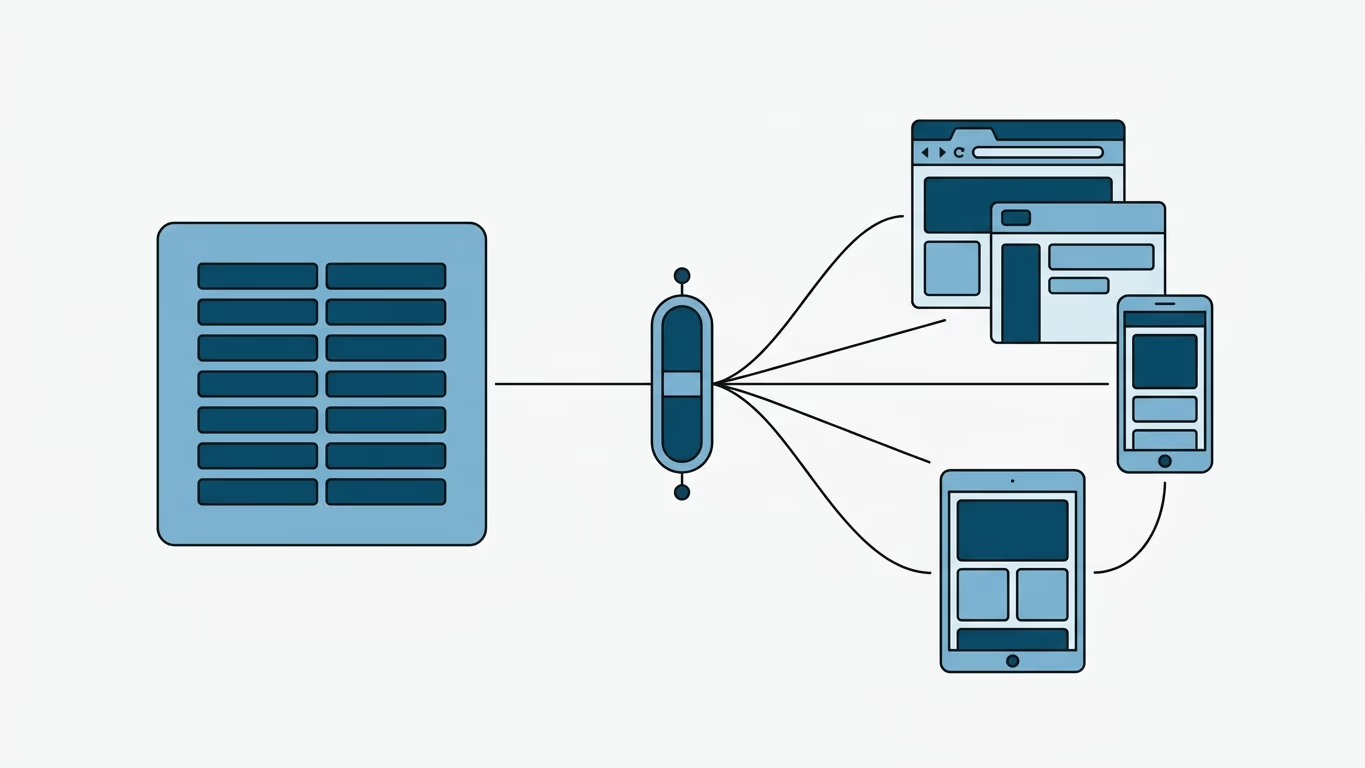
GraphQL is a query language that provides a modern alternative to REST APIs for interacting with databases. It allows developers to retrieve data in a more efficient and flexible way by enabling them to specify exactly the fields they need, rather than having to download all available fields for an entity.
When WordPress is decoupled to act purely as a backend Content Management System (CMS), developers use JavaScript frameworks (like Nuxt, Next.js, or Astro) to build the custom user interface. Resolving data relations in a headless setup makes choice of API critical.
REST API vs. WPGraphQL
| Feature | WordPress REST API (Core) | WPGraphQL (Plugin) |
|---|---|---|
| Data Fetching | Over-fetching (returns entire post payload) | Under-fetching / Exact (returns only queried fields) |
| HTTP Requests | Multiple requests needed to resolve relations | Single query resolves deep relations (posts, categories, authors) |
| Schema Validation | Weak / Dynamic | Strong / Strongly Typed Schema |
| Tooling Support | Postman, native fetch | GraphiQL (Interactive IDE inside WP Admin) |
Why Choose GraphQL for Headless WordPress?
In a traditional headless WordPress setup, the core REST API is often the default choice. However, GraphQL provides significant performance and workflow advantages:
- Efficient Payloads: Instead of receiving a massive JSON object containing hundreds of unused fields (like WordPress metadata, raw content, and comment counts), a GraphQL query fetches only the specific fields required to render the active page component.
- Single Request for Nested Data: Under REST, fetching a post along with its categories, author details, and related posts would require multiple HTTP round-trips. With GraphQL, you can fetch all nested relations in a single, unified request.
- Optimized Mobile Performance: Smaller payloads and fewer HTTP connections translate directly to faster load times, especially for users on slower mobile networks.
The Role of WPGraphQL
WPGraphQL is a free, open-source WordPress plugin that exposes a schema-driven GraphQL endpoint for your WordPress site. Rather than writing custom SQL queries or mapping complex REST endpoints, WPGraphQL exposes your posts, pages, custom post types, custom fields (like ACF), and menus in an structured graph schema.
It also integrates the GraphiQL IDE directly inside your WordPress admin dashboard, allowing you to write, test, and preview queries interactively before copying them into your frontend application.
Technical Limitations & Considerations
While WPGraphQL is highly effective, developers should plan around its structural constraints:
- Server Overhead: Parsing and resolving complex nested GraphQL queries requires more processing power on the server compared to serving static REST endpoints. Utilizing cache layers (such as WPGraphQL Smart Cache) is essential in production.
- No Native Real-Time Subscriptions: A common misconception is that GraphQL provides out-of-the-box real-time subscriptions for WordPress. Since WordPress runs on synchronous PHP runtimes, WPGraphQL queries operate over standard HTTP POST requests. Real-time updates must be handled via Webhook-driven static rebuilds (such as On-Demand ISR) or client-side polling.
- Plugin Compatibility: Not all third-party WordPress plugins expose their data to the GraphQL schema automatically. You may need to install official WPGraphQL integration extensions (such as for ACF or Yoast SEO) or write custom PHP schema extensions.
Frequently Asked Questions
Is WPGraphQL free to use?
Yes, WPGraphQL is a completely free, open-source plugin actively maintained by the community and backed by WP Engine.
Can I write custom WordPress themes with GraphQL?
WPGraphQL is designed for decoupled (headless) frontend development. Rather than building classic WordPress PHP themes, you use GraphQL to fetch data for external JavaScript clients (such as Nuxt or Next.js applications).
How does WPGraphQL handle Custom Fields (ACF)?
By using the WPGraphQL for ACF extension, you can easily expose your Advanced Custom Fields directly to the GraphQL schema and query them just like native WordPress fields.
Conclusion
WPGraphQL is a powerful tool for building decoupled, high-performance WordPress frontends. By letting you request exactly what you need in a single query, it eliminates the over-fetching and network overhead of traditional REST APIs. While you must account for plugin compatibility and query caching, it remains the gold standard for modern headless WordPress architectures.