Why I Run camiler.org on a Single VPS
Written by Evren BalPublished Updated · 7 min read

💡 Quick Summary (TL;DR):
- The decision: Instead of buying a separate managed service for every concern, I separated the services with Docker and kept them on one small VPS.
- The architecture: Redis reduces repeated page rendering and database work. Cloudflare serves much of the static and image traffic before it reaches the origin.
- The cost: The direct infrastructure bill stays low, but I still own the maintenance work and the downtime risk of relying on one machine.
I build and operate camiler.org on my own. When I started the project, the VPS cost about $5 per month.
At that budget, using a different managed service for every concern made little sense. But the invoice was not the only issue. Each additional service brings another dashboard, another dependency, and another place to investigate when something breaks.
I wanted the infrastructure behind camiler.org to remain simple enough for one person to understand. I needed to know where to start when a service failed, where the durable data lived, and how the site would behave without its cache.
Those constraints shaped the decisions in this article. I covered the search and content side of the project in Building camiler.org: A Programmatic SEO Experiment with Google Maps and OpenAI. Here, I want to explain how the site stays online and what responsibility comes with keeping the infrastructure bill low.
The system in brief
The entire system runs on one VPS. Each service has its own Docker container.
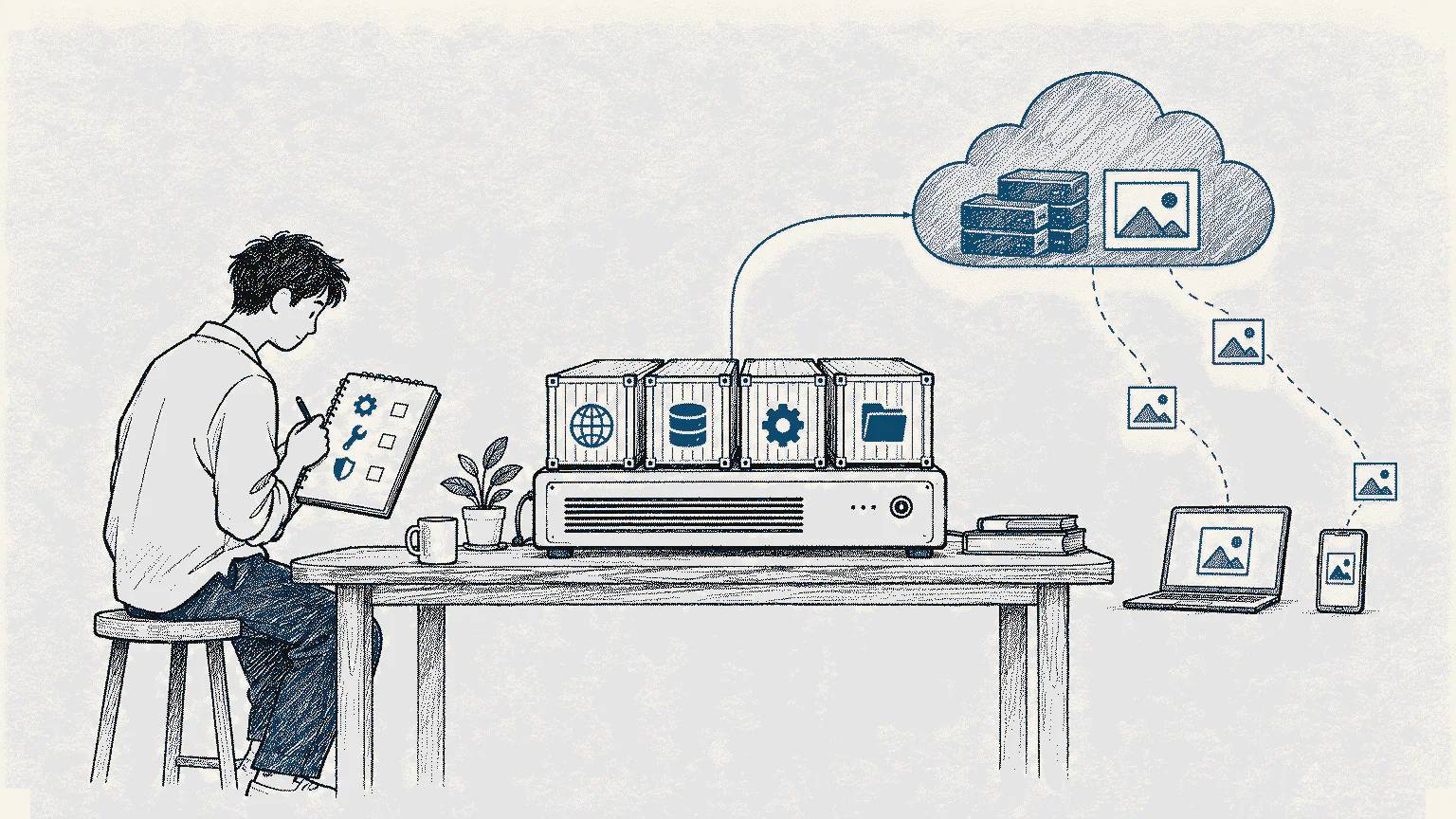
Page request:  User -> Cloudflare -> Traefik -> Nuxt -> Redis
API request:   User -> Cloudflare -> Traefik -> Fastify -> Redis / MariaDB
Image request: User -> Cloudflare cache -> imgproxy -> Cloudflare R2
Deployment:    GitHub Actions -> private registry -> deployment webhook -> containers
Traefik is the first service to receive requests that reach the server. It reads Docker labels to decide which hostname belongs to which container. It also renews Let’s Encrypt certificates and applies IP restrictions to internal tools such as Portainer and phpMyAdmin.
That Docker integration is the practical reason I chose Traefik. When I add a service, I can define the routing beside the container instead of maintaining and reloading a separate reverse-proxy configuration. It removes a small but recurring task from a system I operate alone.
Traefik does not protect me from a bad label. I still have to review which services are exposed to the internet and which networks each container can reach.
On a small server, I reduced repeated work first
The camiler.org frontend runs on Nuxt 3 with server-side rendering. Rebuilding the same mosque page on every request would spend limited CPU and memory on work the server had already done.
I wrote middleware that stores the rendered HTML in Redis. The HTML is compressed before it is stored, which reduces memory use. ETag support also helps avoid sending content that has not changed.
A simple time-based cache was not enough. When a mosque record changes, I may need to invalidate both that mosque's page and related pages such as “nearby mosques.” That is why the cache supports tag-based invalidation.
I also wanted the site to keep working when Redis was unavailable. In that situation, the pages are rendered without the cache and the server does more work, but the durable data is not lost. Redis is an accelerator here, not the source of truth.
The backend uses Fastify, Prisma, and MariaDB. Redis also stores frequently used query results and rate-limit counters. The available rate-limit packages did not support the mix of route, user, group, and global limits I wanted, so I wrote a small middleware for it.
Writing that middleware gave me the control I needed. It also made the maintenance mine. Choosing not to use a package does not remove the work that package would have handled.
I moved image traffic away from the VPS
Mosque images need to be served in different sizes and formats. I did not want to generate every variant in advance and store all of them with the application.
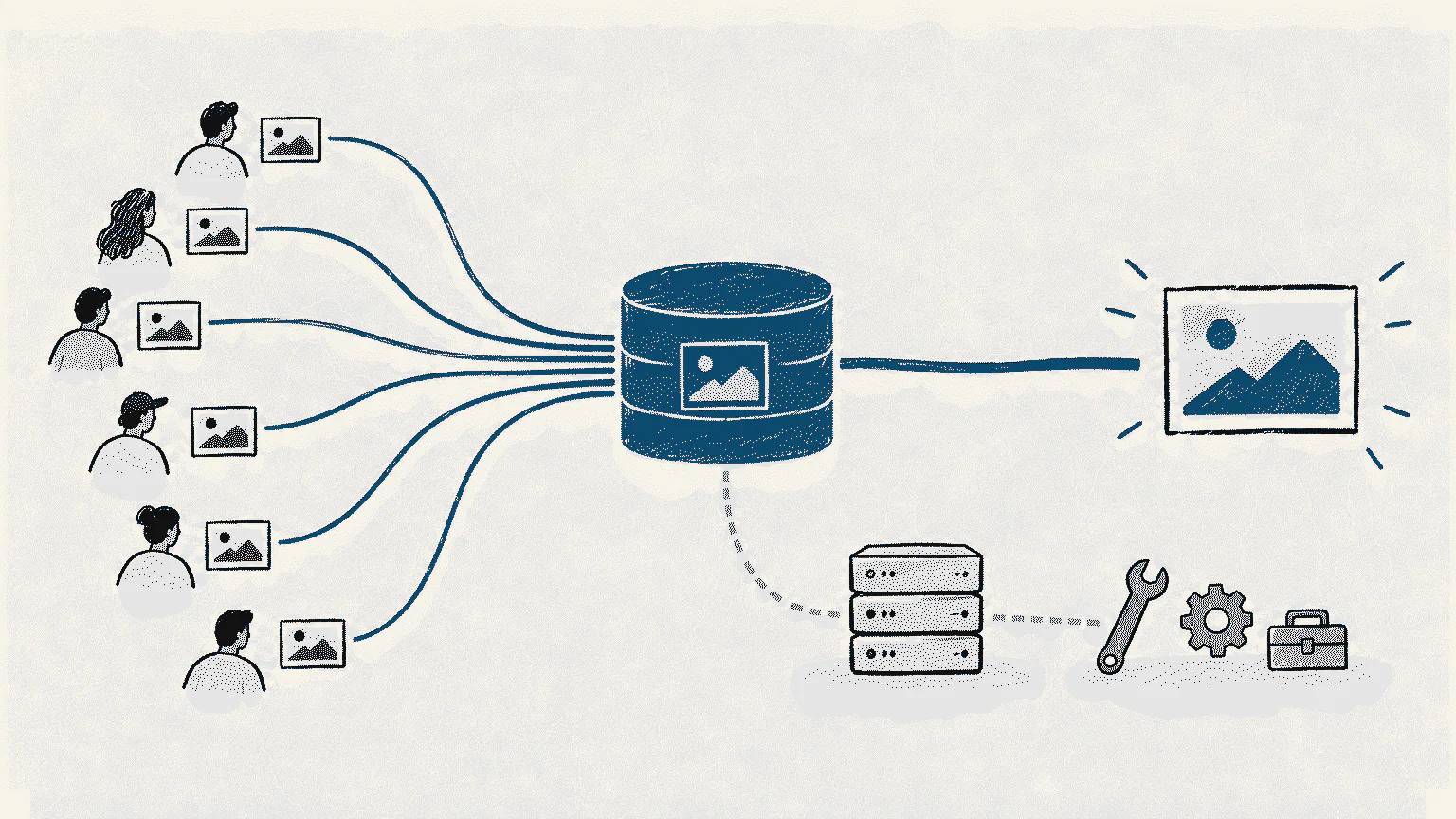
I keep the originals in Cloudflare R2. imgproxy creates the requested size and format when needed. In my configuration, Cloudflare can cache that result at the edge. A repeated request will often be served before it reaches the VPS, imgproxy, or R2.
This reduces both processing and network work on the small server. R2's S3-compatible interface also leaves a path to another S3 provider or MinIO if I decide to move later.
S3 compatibility does not make that move effortless. Copying the files may be the easy part. Credentials, cache rules, and the application's file flow would still have to change.
I deliberately kept deployment small
When I push a change to the main branch, GitHub Actions builds the relevant Docker image and uploads it to a private registry. It then calls a small webhook on the server, which restarts the relevant container with the new image.
There is nothing ambitious about this pipeline. It removes the need to connect to the server and run deployment commands by hand, while leaving each step visible. That is enough for a project operated by one person.
I use Portainer to check container state and logs. phpMyAdmin is useful for occasional database inspection. Both sit behind IP restrictions, and neither is part of the site's normal request path.
The monthly bill is low, but the total cost is not that simple
Running everything on one small VPS keeps the direct infrastructure bill for camiler.org low. It is tempting to compare that invoice with the price of managed services and call the entire difference a saving.
But I am also the person updating the server, watching the containers, fixing failed deployments, and checking whether cache invalidation still behaves correctly. I pay for part of that saving with my own time.
The larger cost of one VPS is downtime risk. Docker separates the services, but they still run on the same machine. If the host is unavailable, separate containers for Nuxt, Fastify, Redis, and MariaDB do not keep the site online.
I can accept that risk today. camiler.org does not generate revenue, and I operate it alone. Under those conditions, a more expensive high-availability setup has no economic case. If those conditions change, there will be no reason to stay loyal to the current architecture.
When would I move away from one VPS?
I would reconsider the decision before the server simply ran out of capacity. Clear triggers include:
- The cost of downtime becoming higher than the cost of a second host and automated recovery
- Database, image-processing, or SSR load beginning to disrupt the other services
- More than one person or team needing independent control over the infrastructure
- Backup, recovery, audit, or compliance requirements outgrowing the current setup
- My maintenance time becoming more expensive than the managed services it replaces
Reaching one of those points would not require rewriting everything. The database, application, or image-processing service could move to separate capacity. Cloudflare and R2 could remain or be replaced. This is where Docker is most useful to me: the services can share one machine today without closing off a practical route to separating them later.
Running camiler.org on one VPS is not a technical stunt. It is how I meet the project's current needs without adding unnecessary bills and maintenance work.
For now, the system does its job. The bill is low, I understand its limits, and I know where to look when something breaks. The decision will change when the downtime risk, traffic load, or maintenance cost reaches a level I can no longer accept.
If this article was useful
Linking to it from a relevant page on your website or sharing it on social media genuinely helps it reach more people. Thank you for your support.
Linking and brand guidelines →
A small experiment
Loading personal metrics…